 Carmeo
Charging
Know exactly how your charge is going.
Live power in kW, the time left and every charge in a log – at home on the wallbox or at a public charger.
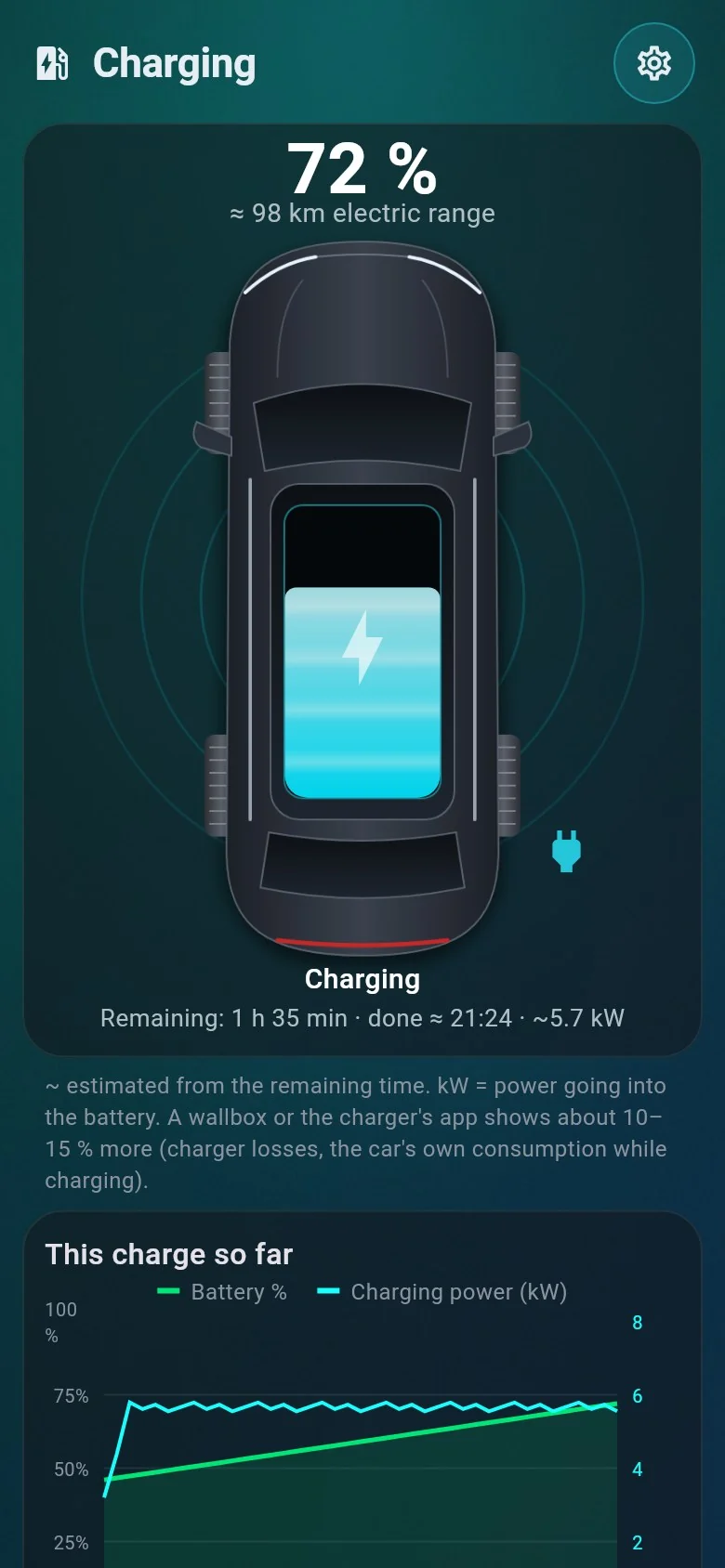
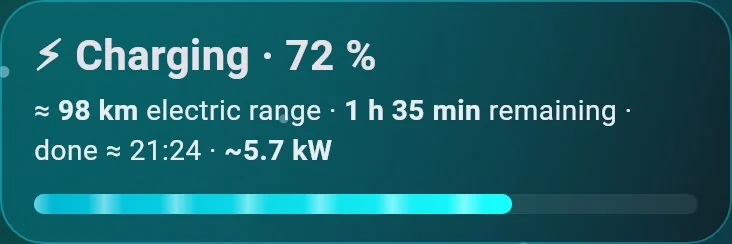
Live power and time left, right on the home screen.
The moment the car starts charging, the home screen shows the battery level, the electric range you have gained, the time left and the charging power.
- Power in kW – the energy going into the battery. A wallbox shows about 10–15 % more, because of charging losses.
- Updates every 2 minutes – while the car is charging.
- A notification – when charging is finished.
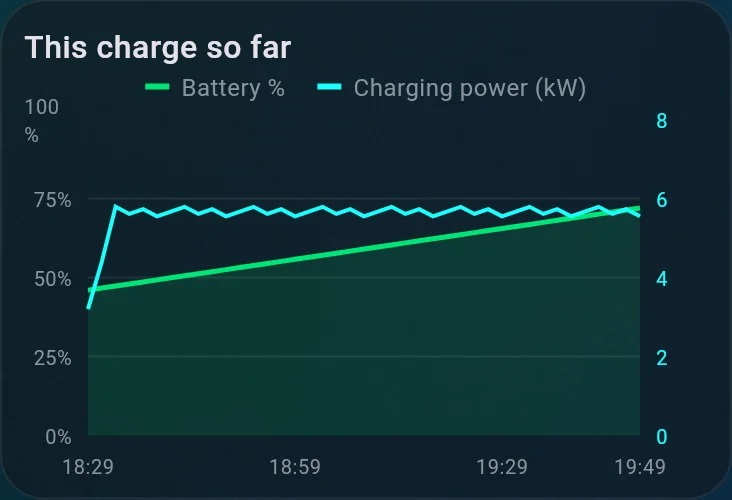
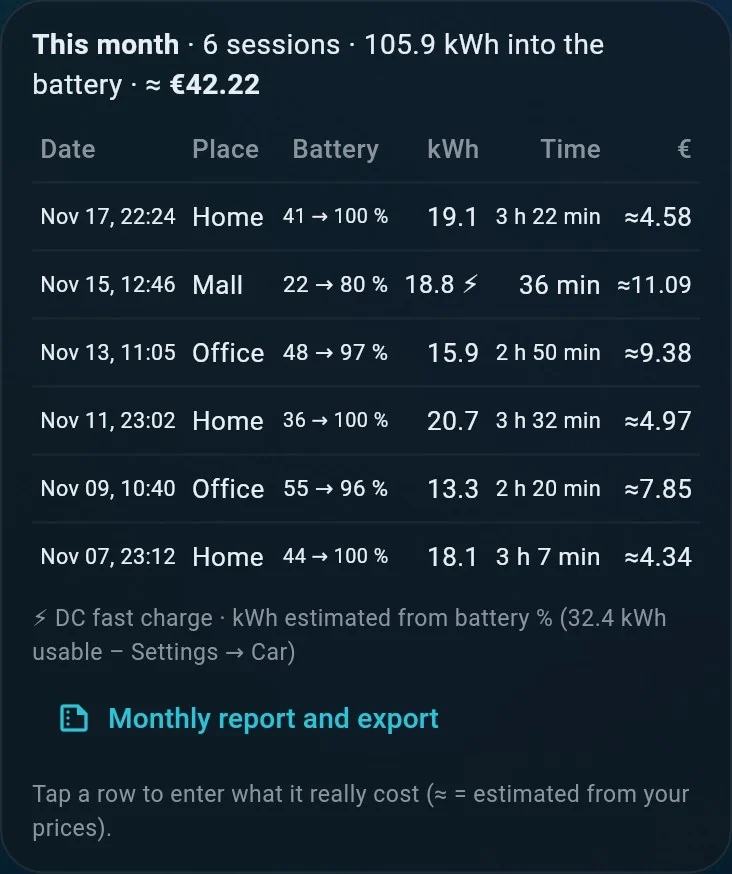
The live curve, then the log.
While it charges, battery % and kW draw a live curve. Afterwards every charge lands in the log: date, place, battery from–to, energy added, duration and cost, AC or DC. You can also see your car’s charging schedule, and stop a charge from the app where your car allows it.
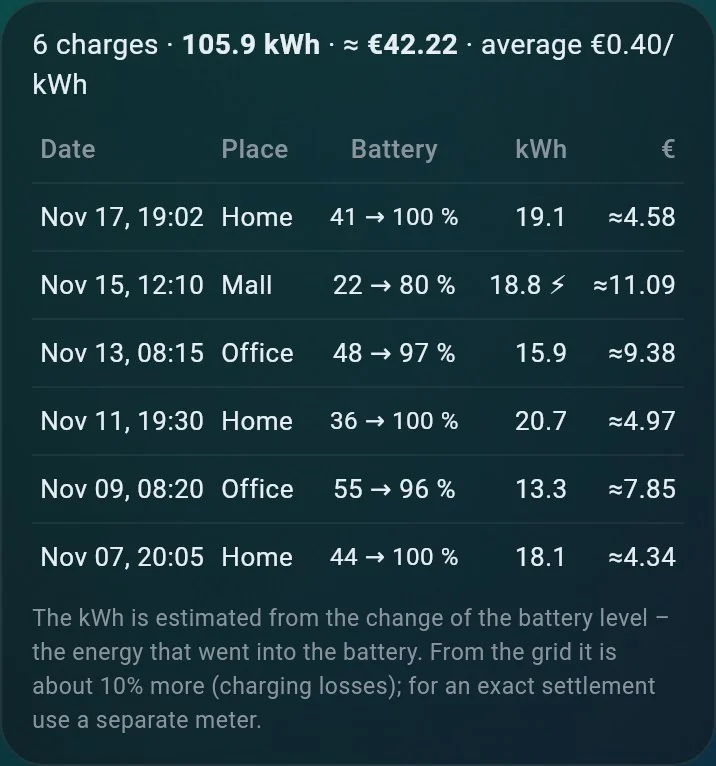
Month by month, ready to export.
The monthly report adds up every charge by place – energy, cost and the average price per kWh – and exports it as CSV or PDF.
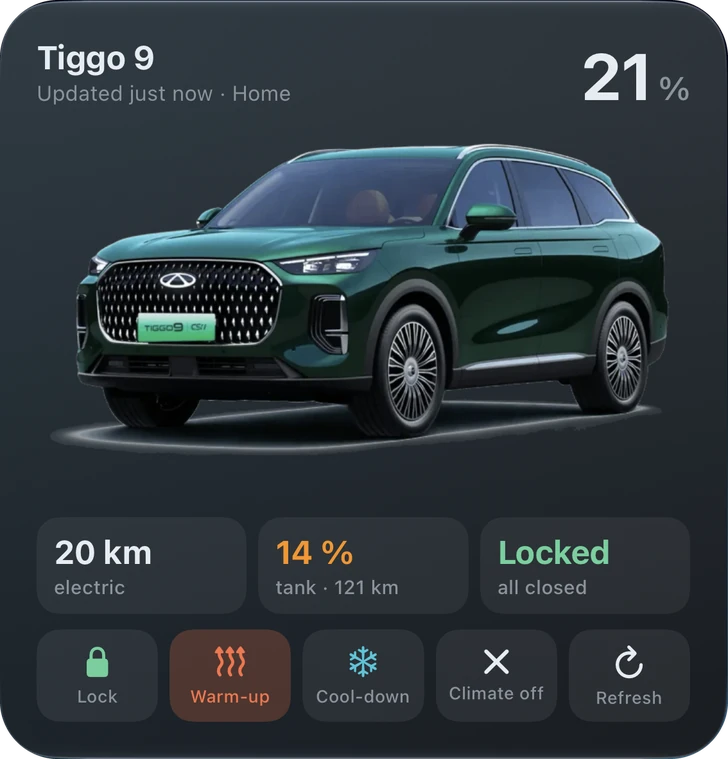
Follow it without opening the app.
On iPhone the charge runs as a Live Activity on the lock screen and in the Dynamic Island. On Android it shows as a live notification. Widgets keep the battery level in view.
- Charged to your target – unplug when you like.
- Stopped early – the charge stopped before your target with the cable still in.
- Plugged in, but not charging – the cable is in, and nothing happens.
Try it on your own car.
Carmeo is free. Join the open test group on iPhone or Android.